- Softonic Rating:
- Excellent:9/10
- License:
- Evaluation
- Added:
- January 19, 2006
- Updated:
- May 6, 2008
- Publisher:
- Website
- File size:
- 21.8 MB
- Downloads:
- 311
- DownloadEvaluation
“A powerful alternative to the Mac OS X Finder”
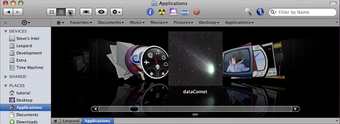
Path Finder is an innovative file browser and manager with powerful tools to make you more productive on Mac OS X. Designed from the ground up for maximum speed and Mac OS X integration, Path Finder has a gorgeous, accessible interface that you can customize to your heart’s content.
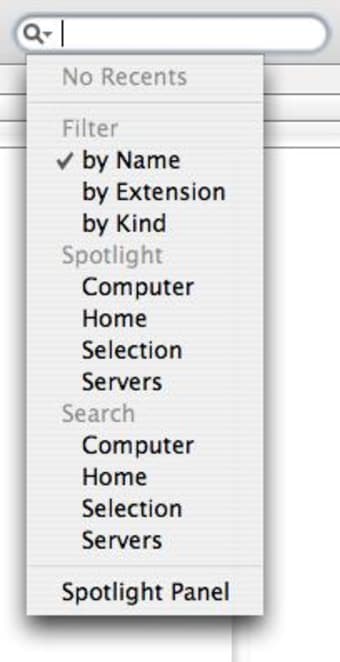
Mac OS X 10.4 has been sometimes called the “programmer’s release” of Mac OS X, and Path Finder takes advantage of many of the new methods and programming tools Tiger has to offer. Path Finder gives you multiple ways of finding the files you’re looking for, with Tiger’s new Spotlight search built right into the application. Don’t like Spotlight? Path Finder also boasts a Spotlight-independent fast search that quickly finds the files you’re looking for. You can also use the brand new Filter tool to quickly filter the current directory by name, extension, or kind.
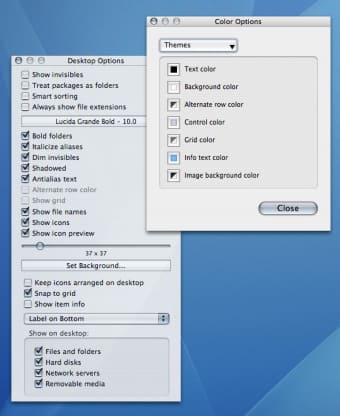
Everything is customizable. Want to move sidebar items such as the Shelf, Volumes list, or Preview pane to any location in the file browser window? Interested in creating a sidebar pane that shows the contents of a specific folder? Want to hide the new Split Preview pane? All of this (and more) is under your control.
Path Finder 4’s brand new Select Tool gives you the ability to select files using a plethora of criterion with lightning speed. Need to select all of the image files in a directory containing hundreds of files? It’s no sweat with the Select tool. You can also use the Select tool to highlight files by modification date, characters in the filename, and many other criteria.
Allume's Stuffit engine is now fully integrated into Path Finder. With Mac OS X 10.4 no longer including Stuffit Expander, this means you can quickly and easily compress and decompress many common file compression formats from within Path Finder. No more waiting for changes to appear in file listings or on the desktop. With Path Finder 4 changes happen as you make them, so you can feel confident that what you see in Path Finder truly is what you get.
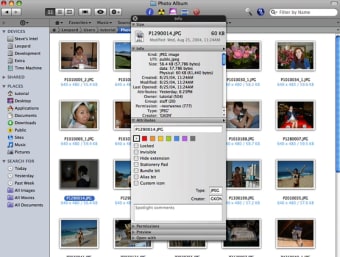
There’s an icon size slider right in the file browser, and you can now size icons up to Tiger’s gigantic new 256x256 icon size. On that note, Path Finder can now generate image icon previews on the fly, which will be very handy for designers, photograhpers, and anyone with lots of image files.
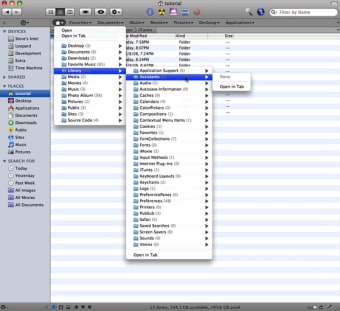
Path Finder 4 now has an Bookmark Bar that gives you another way of quickly accessing favorite folders. The new View Options window organizes an incredible array of customizations and view option for the discerning interface jockey. There’s a new “Contents” contextual menu that allows you to navigate inside directories for super-fast access.
Languages:
English
Recent changes in Path Finder:
- Path Finder 4.8.5 fixes one issue discovered after Path Finder 4.8.4 was released: it reactivates image previews for those running Mac OS X 10.5 on a PPC-based system. It is otherwise identical to Path Finder 4.8.4.
Limitations:
21 day Trial Period
OS requirements for Path Finder:
- OS: Mac OS X
Minimum requirements:
- Mac OS X 10.4 or later
Featured program
Softonic gives special recognition to software of exceptionally high quality. More information
Sponsored Links
Programs similar to Path Finder
Path Finder options
Reviews for Path Finder in other languages
- Path Finder (Testbericht auf Deutsch)
- Path Finder (Análisis en español)
- Path Finder (Le test en français)
User Rating
2 ratings- Usability
-
- Currently 5/10.
- Stability
-
- Currently 7/10.
- Installation
-
- Currently 9/10.
- Functionality
-
- Currently 8/10.
- Appearance
-
- Currently 8/10.
You need to be registered and logged in Softonic to participate in the promotion.
You already found this logo. Find more logos now!
Your team mate was faster than you this time. Try again tomorrow!